

How to Use Elvenar Stats
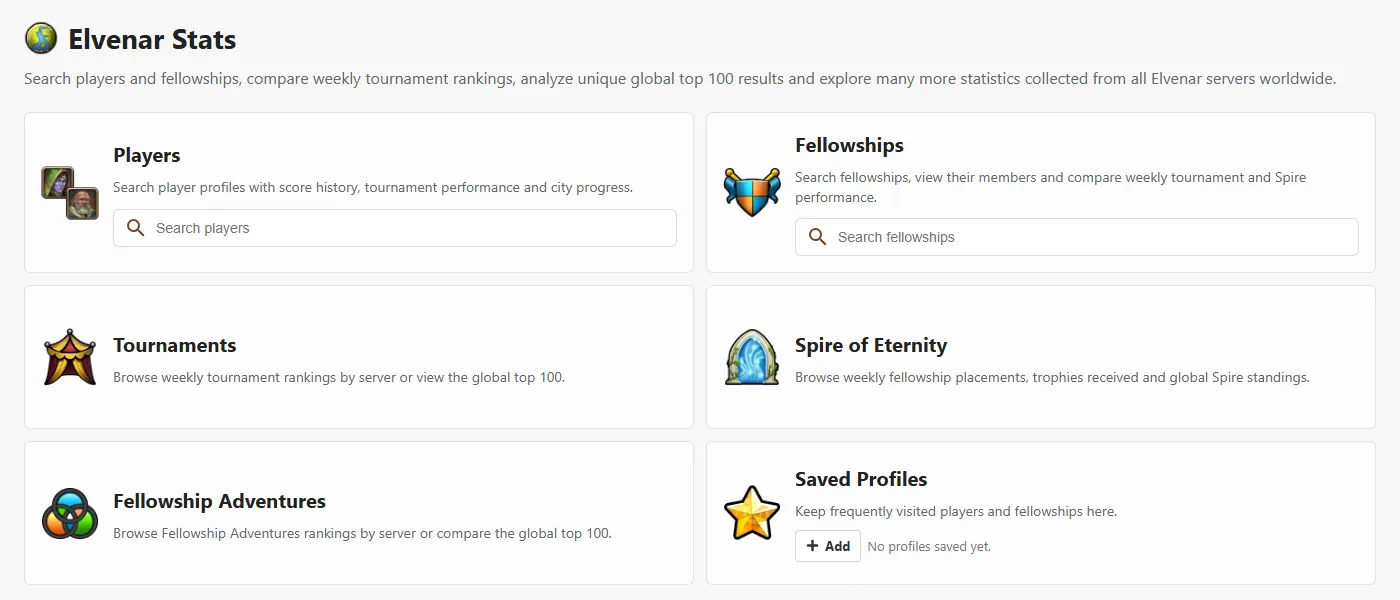
Elvenar Stats collects public rankings from every Elvenar server and turns them into searchable profiles, history charts and leaderboards. Use it to follow your own progress, compare your fellowship with its rivals, find active players for recruiting or simply see who leads the weekly tournament around the world.
Player profiles
Type a nickname into the player search and pick the right server. The profile shows the player's score, chapter, fellowship, boosted goods and the history of their ranking points, tournament results and Ancient Wonder progress. Changes of fellowship are recorded too. A profile can also open the player's city directly in the City Planner, which is useful when you want to help a fellowship member with their layout.
Fellowship profiles
A fellowship page lists all members with their score, chapter and activity, and you can sort the member list by any column. It also shows the fellowship's weekly tournament and Spire of Eternity results, a history of members joining and leaving, and an overview of the boosted goods of all members. The boosted goods overview helps when you need to organize trading or decide which goods to request from whom.
Tournaments, Spire of Eternity and Fellowship Adventures
Each event has its own leaderboard. Choose a server to see that week's ranking, or switch to the global top 100 to compare all servers together. Weekly reports make it easy to spot trends, for example which fellowships are improving in the Spire or which players are always at the top of the tournament.
Frequently Asked Questions
Which servers does Elvenar Stats cover?
All public Elvenar servers worldwide. Search results always show the server tag next to each player or fellowship, so players with the same name on different worlds are easy to tell apart.
What does the activity indicator on a player profile mean?
It shows when the player's progress last changed. Green means activity was observed less than 7 days ago, yellow means between 7 and 14 days ago, and red means no activity for more than 14 days. It is a helpful hint when you are recruiting or reviewing your fellowship, but it is only an estimate.
How often are the statistics updated?
Tournament, Spire of Eternity and Fellowship Adventures results are collected automatically after each event. Player and fellowship profiles are refreshed regularly. On a fellowship page you can also use the refresh button to update its members, their chapters and boosted goods (up to twice per day per fellowship).
What is the global top 100?
Rankings from all servers combined into a single list. You can see how the best players and fellowships of your world compare with the rest of the Elvenar community.
How do I keep track of my own profile or my fellowship?
Open a player or fellowship profile and save it. Saved profiles appear on the Stats home page, so you can open them with one click next time.