
Extension


The City Planner and Inventory Manager on Elvenar Tools let you manage, optimize, and review your city layouts and inventory items with ease. To take full advantage of these features, you'll want to import your actual in-game data, so that what you see here matches what's in Elvenar.
Step 1: Install the Elvenar Tools Extension
The easiest way to import your data is via the Elvenar Tools browser extension, which allows you to collect your city and inventory data whenever the game is loaded. It is available for Google Chrome and other Chromium based browsers (like Microsoft Edge) that support extensions. Support will be extended for more browsers soon.
Step 2: Open the Interface
Once you have the extension installed:
- Open your Elvenar game in browser and let it load fully.
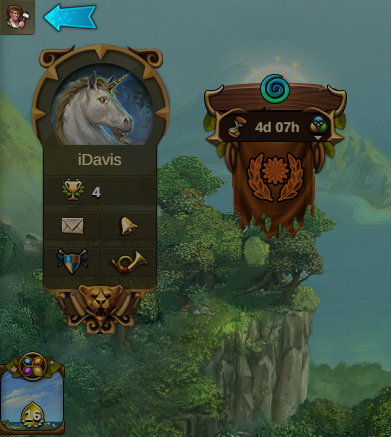
- Click the button in the top-left corner of the game screen:
Step 3: Explore various features offered by the Extension
The interface provides a list of features you can use to your advantage. Currently, the following 3 features are available, with more coming soon: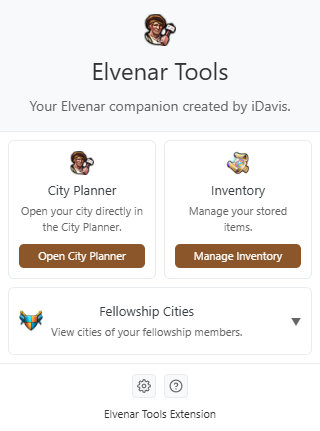
- City Planner - import your current city to the City Planner. Using this approach, you no longer have to manually rebuild your streets and buildings in the City Planner and can automatically fill some variables (such as battle squad size) for enhanced planning
- Inventory Manager - send your inventory data to the Inventory Manager and analyze it with advanced options that are normally unavailable in the game, such as sorting buildings based on various production types, calculating production per square for any given chapter, and tracking how many Royal Restorations are needed to upgrade your buildings
- Cities of your Fellowship members - open cities of your fellowship members directly in the City Planner without having to import them manually; this way, you can help them with their planning easily
Data Collection
You can open Settings and decide to share anonymous data about various in-game statistics. These are collected by Elvenar Tools and help me create more content for the community.
When a selected piece of game data is loaded, the extension automatically collects and sends that data anonymously to Elvenar Tools. If the box is unchecked, the data will not be collected going forward.
The data collected helps me create more content for the community, which will be revealed in the future. Thank you in advance for your help! The more players who enable data collection, the more accurate and up-to-date our overall statistics become.
Current Data Collection Options:
More collection options will be added over time. Check back frequently for updates!
When a selected piece of game data is loaded, the extension automatically collects and sends that data anonymously to Elvenar Tools. If the box is unchecked, the data will not be collected going forward.
The data collected helps me create more content for the community, which will be revealed in the future. Thank you in advance for your help! The more players who enable data collection, the more accurate and up-to-date our overall statistics become.
Current Data Collection Options:
- Tournament Battles - anonymously collects statistics about battles performed in tournaments
More collection options will be added over time. Check back frequently for updates!
Data Privacy
I am committed to transparency and user privacy:
- The extension does not alter your original game data or store private credentials.
- No personal information (such as emails or authentication tokens) is collected.